Real Solutions. Real Business Results.
Explore how we have helped companies streamline operations, automate workflows, and deliver better experiences to their customers.
AI Engineering & Intelligent Systems
WhatsApp Chatbot Assistant
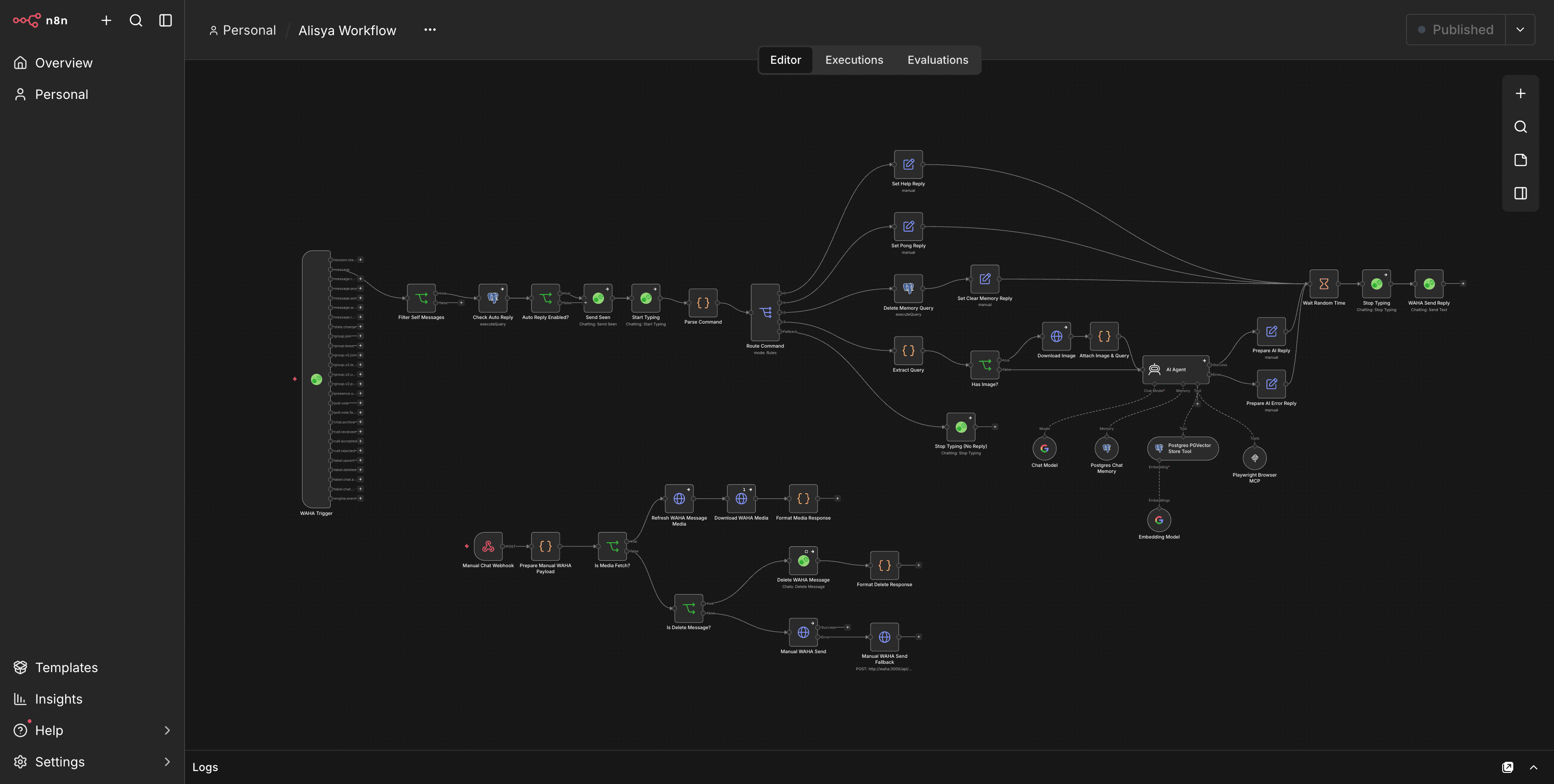
WhatsApp Chatbot Assistant (Alisya) is an automated WhatsApp conversational assistant that answers user questions through text messages, shared photos, and quoted replies. Under the hood, an n8n workflow coordinates both automated customer replies and direct operator controls from an admin dashboard.Alisya Workflow OverviewAs shown in the workflow diagram below, the upper path processes incoming WhatsApp messages from arrival to final delivery, while the lower path supports direct dashboard actions such as sending custom messages, fetching chat media, and deleting messages.Overview of the Alisya workflow showing the automated AI reply flow above and the operator dashboard controls below.Smart Filtering and Auto-Reply ControlsWhenever a message arrives, the workflow ignores the bot's own replies, WhatsApp status updates, and group chats so it only responds to direct user conversations. It also checks whether auto-reply is enabled globally and for that specific contact before marking the message as read and showing a typing indicator.Quick Commands, Quoted Replies, and Image ContextUsers can chat naturally or send quick commands including /help to view instructions, /ping to verify the bot is online, and /clear to reset conversation memory for a fresh start. When someone replies to an earlier message or uploads an image, the assistant captures the quoted context or attached image so its answer addresses exactly what the user pointed to.Knowledge Base Answers with Web LookupBefore replying, the AI assistant always checks stored internal documents and guides first to keep answers aligned with approved information. If the internal knowledge base lacks an answer or needs confirmation, it automatically looks up current details on the web, remembers earlier messages from that user, and formats replies using WhatsApp-friendly bold, italics, quotes, and lists.Natural Pacing and Operator Takeover SupportAutomated responses pause briefly for one to five seconds and clear the typing indicator before sending so conversations feel natural, with a fallback notice if anything goes wrong. On the companion branch, human operators can step in through the dashboard to send text, images, videos, files, or voice notes, download chat attachments, and delete messages.
Tech Stacks
DockerGeminiLangChainn8n+2
View Case Study
AI Engineering & Intelligent Systems
Automatic License Plate Recognition (ALPR)
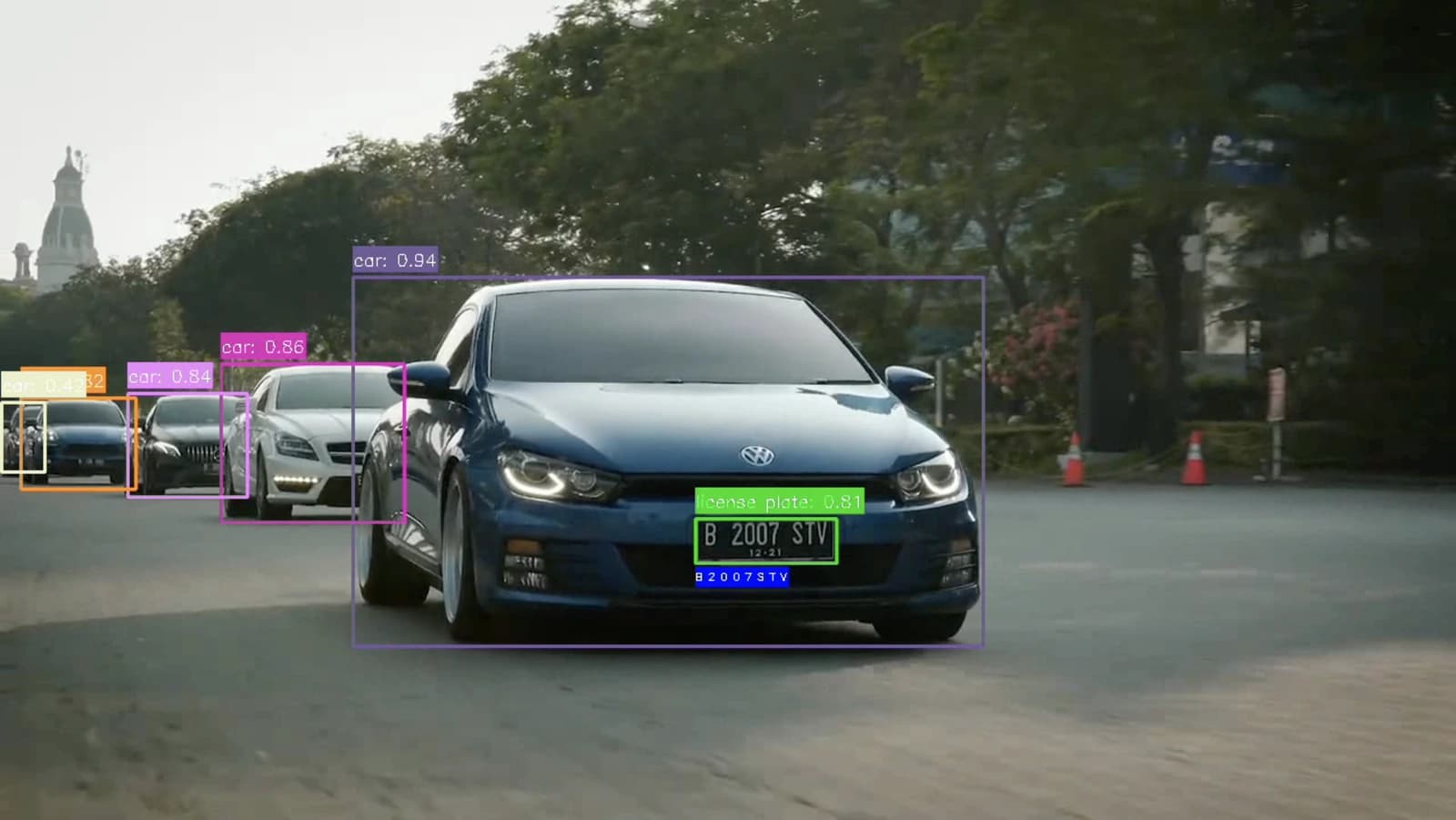
Automatic License Plate Recognition (ALPR) is a Python and YOLOv11 computer vision system built for real-time vehicle detection, license plate localization, and alphanumeric character reading from video files or live camera feeds through OpenCV.Three-Stage Detection PipelineThe ALPR class executes three Ultralytics YOLO models in sequence on every processed frame. Stage one detects vehicles across four target classes (car, truck, bus, and motorcycle), crops each vehicle region to locate its license plate box, crops the plate to detect alphanumeric characters, and projects inner bounding coordinates back onto the original frame.Multi-vehicle street frame highlighting bounding boxes across four cars along with decoded plate B 2007 STV.Concurrent Multi-Vehicle InferenceWhen multiple vehicles enter the frame on highways or multi-lane roads, the forward pass runs plate localization and character detection concurrently per vehicle via asyncio.gather. Each tracked detection renders color-coded boxes, vehicle class confidence scores, and a blue banner showing the recognized plate text.Concurrent highway inference detecting a distant truck, coupe, and foreground sedan plate B 126 QM.Cross-Class Vehicle FilteringBy filtering the base model to only four motorized vehicle class IDs, the pipeline concentrates downstream plate cropping on cars, trucks, buses, and motorcycles while skipping background pedestrians or roadside objects in busy street scenes.Foreground detection on car plate B 21 SKY alongside trailing sedans and an approaching motorcycle.Row Clustering and Character SequencingBecause license plates vary in camera tilt and often contain multiple horizontal bands, the character sorter builds a Pandas DataFrame from character centroids, groups detections into rows using a vertical clustering threshold, and sorts symbols left to right within each row, alongside optional IQR bounding-box area outlier filtering.Clean plate readout for B 2290 TBM produced by centroid row clustering and horizontal character sorting.Video Runner, Export, and Accuracy EvaluationThe runner automatically selects PyTorch compute devices (NVIDIA CUDA, Apple Silicon MPS, or CPU) and adds frame skipping, proportional viewport resizing, interactive OpenCV window preview, MPEG video export, and background-threaded snapshot output saving cropped vehicle, plate, and prediction text files. A standalone evaluation script benchmarks folders of plate-labeled test images and writes results to CSV.Dense mixed traffic test with concurrent motorcycle and car localization and multiple plate readouts.
Tech Stacks
PythonPyTorchYOLO
View Case Study
Web Applications & SaaS Platforms
UMS Store
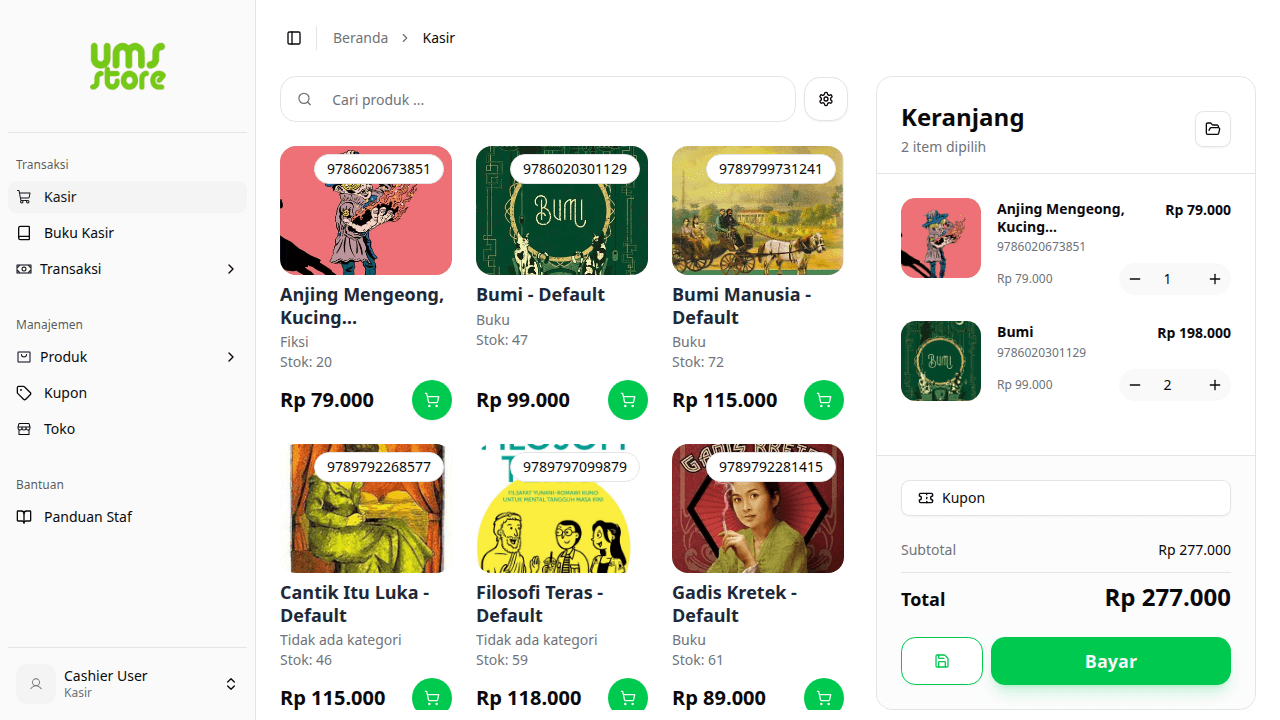
UMS Store is the official online catalog showcase for Universitas Muhammadiyah Surakarta, displaying lecture books, stationery, and campus merchandise in one place. Visitors can search listed items, filter by category and price range, and check available stock before purchasing at the Kartasura physical store or reaching the store admin via WhatsApp. For store staff, the application also includes an internal cashier workspace for recording in-store purchases.HomepageThe homepage pairs a top keyword search bar and promo banner slider with a four-column catalog showing 12 items per page and pagination controls underneath. On the left, the product filter panel offers nested categories (Alat Tulis and Buku) alongside minimum and maximum Indonesian Rupiah inputs, while the footer displays the store profile, Kartasura street address, WhatsApp contact link, user guide link, and a light or dark theme toggle in the header.UMS Store homepage showing category and price filters, promotional banner, four-column product grid, pagination, and store contact footer.Product Detail PageEach product detail page displays a category breadcrumb trail at the top so visitors can jump back to a filtered category in one click. On the left, the main product photo opens in a zoomable lightbox with thumbnail switching underneath, while the right column shows the item title, remaining stock count, Indonesian Rupiah price, and two tabs below for full description and additional information.Product detail page showing the zoomable product photo gallery, stock availability label, Rupiah pricing, and description tabs.User Guide PortalThe user guide portal documents how visitors search products, filter by category and price, inspect product images, and check remaining stock across the UMS Store catalog. It includes a quick topic search bar, a link back to the storefront, three public guide topics, a theme switcher, an on-page table of contents, and a catalog browsing flowchart.Public UMS Store user guide portal showing sidebar navigation, quick topic search, theme toggle, catalog browsing flowchart, and right-side table of contents.Login PortalThe login portal places a username and password form, a password visibility toggle, and a Google sign-in button on the left beside a bookstore shelf photograph on the right, with a header theme switcher.Split-screen UMS Store staff login portal with username, password visibility toggle, and Google sign-in options.Cashier PanelAfter signing in with a cashier account, staff access the Kasir workspace to process in-store purchases. A left sidebar provides staff navigation across transaction tools (Kasir, Buku Kasir, Transaksi), management pages (Produk, Kupon, Toko), Panduan Staf help guides, and the active cashier profile. In the center catalog grid, each card displays a barcode badge, cover image, title, category, remaining stock count, Indonesian Rupiah price, and a cart-add button below the product search bar. On the right, the Keranjang panel lists selected items with quantity steppers alongside a saved-transactions button, a Kupon selector, Subtotal and Total calculations, a save-draft icon button, and a Bayar button.UMS Store cashier workspace showing the staff navigation sidebar, barcode-labeled product cards, and the transaction cart with quantity controls, coupon selection, save-draft action, and Bayar button.
Tech Stacks
DjangoGoogle CloudNext.jsPostgreSQL+4
View Case Study
Web Applications & SaaS Platforms
Kost Putri Pintu Surga
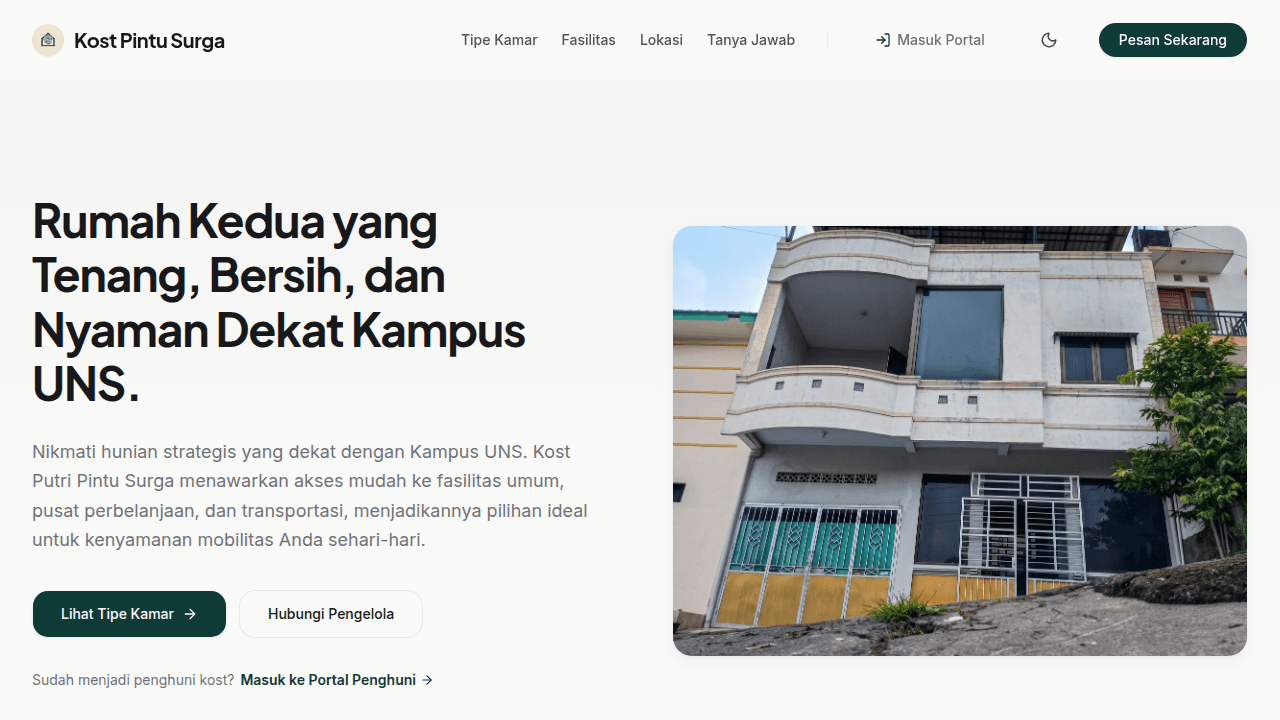
Public residence website and login portal for Kost Putri Pintu Surga in Jebres, Surakarta near UNS. Prospective students and parents can inspect real building photos, compare monthly room rates, check the campus map location, and sign in to view rent and billing.HomepageThe header links directly to Room Types, Facilities, Location, FAQ, the login portal, and a light/dark theme switch. Scrolling down covers five building and room photos, pricing cards for Shared Bathroom (Rp 500,000/month) and En-Suite Bathroom (Rp 625,000/month) 3.5 x 3 meter rooms, furniture specs, and seven shared facilities including a shared kitchen, drying area, rooftop balcony, 100 Mbps Wi-Fi, and gated motorcycle parking. Lower sections explain electricity and water inclusion, the locked-rate policy until graduation, an embedded Google Map with directions in Jebres, six FAQ items, and a message form to contact management.Kost Putri Pintu Surga homepage with room rates, shared facilities, Google Map, FAQ, and inquiry form.Resident and Admin Login PortalA split-screen login page gives tenants and managers one sign-in form supporting username or email and password (with show/hide password and password recovery) alongside a Google sign-in button and theme toggle.Split-screen login page for residents and administrators with password and Google sign-in.
Tech Stacks
DockerGoogle CloudNext.jsPostgreSQL+3
View Case Study
Web Applications & SaaS Platforms
MI Muhammadiyah Surodadi 1
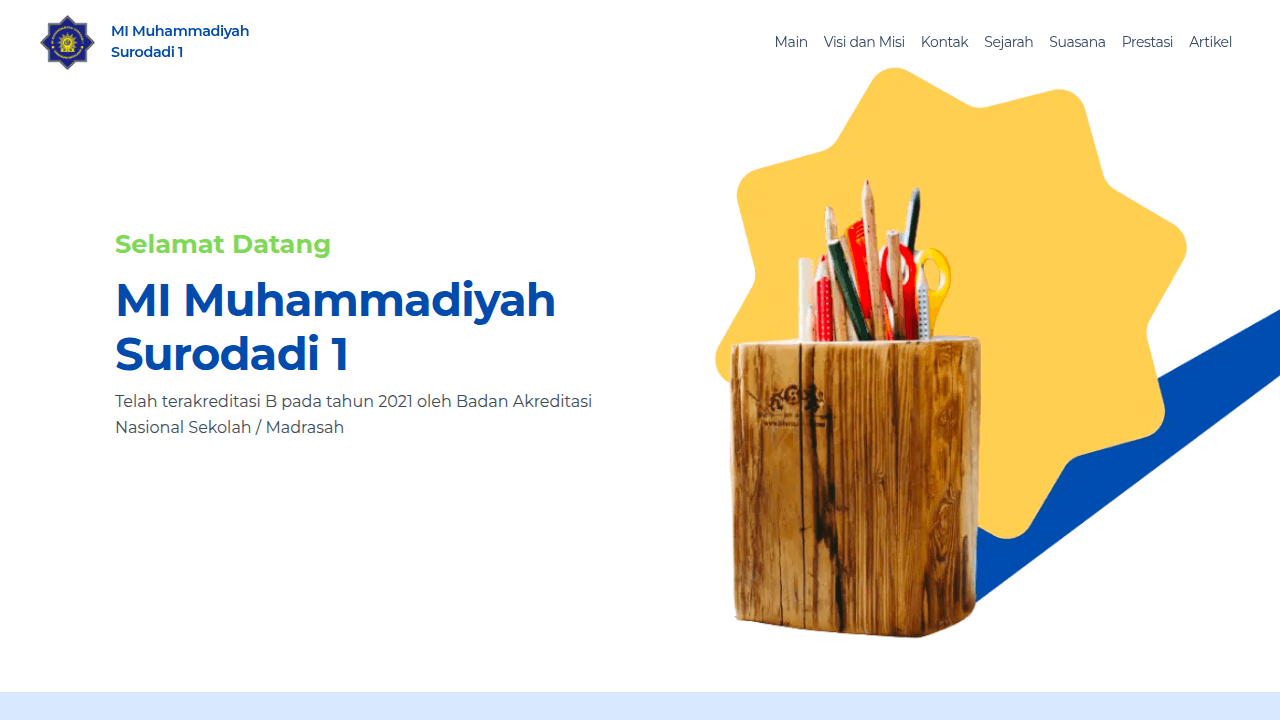
School profile website and news portal for MI Muhammadiyah Surodadi 1 in Sawangan, Magelang. Parents and residents can read the madrasah's history since 1957, check admissions (PPDB) details and facilities, review student awards, and search school activity articles.HomepageThe top navigation jumps directly to each section: accreditation status (Grade B by BAN-S/M in 2021), vision and four mission points, website, WhatsApp, and email contacts, the founding timeline since November 1, 1957, campus photos alongside the PPDB flyer and facility list, and four student awards across calligraphy, mathematics, and PORSENI athletics.MI Muhammadiyah Surodadi 1 homepage covering vision, history, PPDB info, facilities, and awards.Article DirectoryA header search bar filters published school articles by keyword. Six illustrated cards display the title and publication date for recent stories covering PORSENI arts and sports, Hizbul Wathan scouting, math and science preparation, school gardening, the literacy corner, and morning Qur'an recitation.Article listing page with keyword search and three-column story cards.Article PageOpening an article shows the headline, author name, publication date, cover artwork, subheadings, and bullet points above the school contact footer.Single article reading view with author details, artwork, and formatted sections.
Tech Stacks
DockerJavaScriptLaravelMySQL+1
View Case Study
Web Applications & SaaS Platforms
Batik Tiga Dara
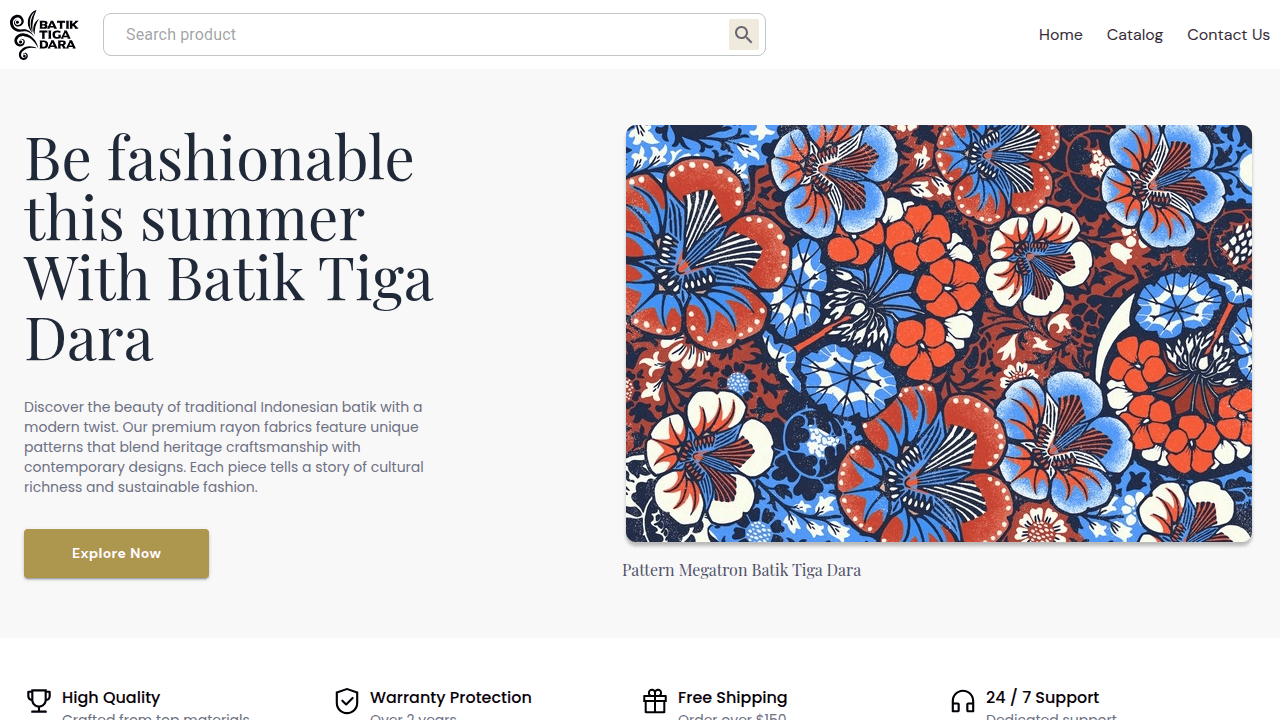
Online product catalog for Batik Tiga Dara, a handprinted rayon textile producer based in Solo. Visitors browse four sleepwear and loungewear collections, narrow products by category and price, inspect fabric patterns up close, and place orders over WhatsApp.HomepageThe top bar keeps product search and page links (Home, Catalog, Contact Us) within reach across the site. Below the Pattern Megatron hero banner, the page covers service guarantees, the company story since 2014, four main product lines (Pyjamas Long Set, Short Sleeve Nightie, Pyjamas Short Set, and Prayer Dress), eight featured items, four category cards, customer reviews, and a footer button that opens WhatsApp.Batik Tiga Dara homepage from the hero banner down to the WhatsApp contact footer.Product Catalog and FiltersShoppers use the left sidebar to filter by category, set minimum and maximum prices, and sort by price. Selecting a category updates the page with its matching header banner, while the search bar narrows the three-column grid by keyword.Catalog view with category, price range, and sort controls beside the product grid.Product Detail and WhatsApp OrderingEach item page displays four selectable variant photos with image zoom, IDR pricing, and fabric notes from Solo. The Order Now button stays disabled until the buyer chooses a size (Small, Medium, Large, or Jumbo), then opens WhatsApp with the order details, followed by eight related items below.Product page showing thumbnail switching, size selection, and the WhatsApp order button.
Tech Stacks
DockerLaravelMySQLPHP+3
View Case Study